Encrypted vault · no account · for iPhone
Lock it. Share it. Stay safe.
Your files, under lock and key. FuaFlow Vault encrypts your photos and documents on your phone, takes photos that can be verified, lets you talk privately with your people and keeps your circle one tap away. No account — and no way for us to open what’s yours.

14 days free · then $99 MXN a month, or $999 MXN once
A day with FuaFlow Vault
The day you get the keys to your new place: papers, photos, messages and the ride home — all under lock and key.
-
09:05
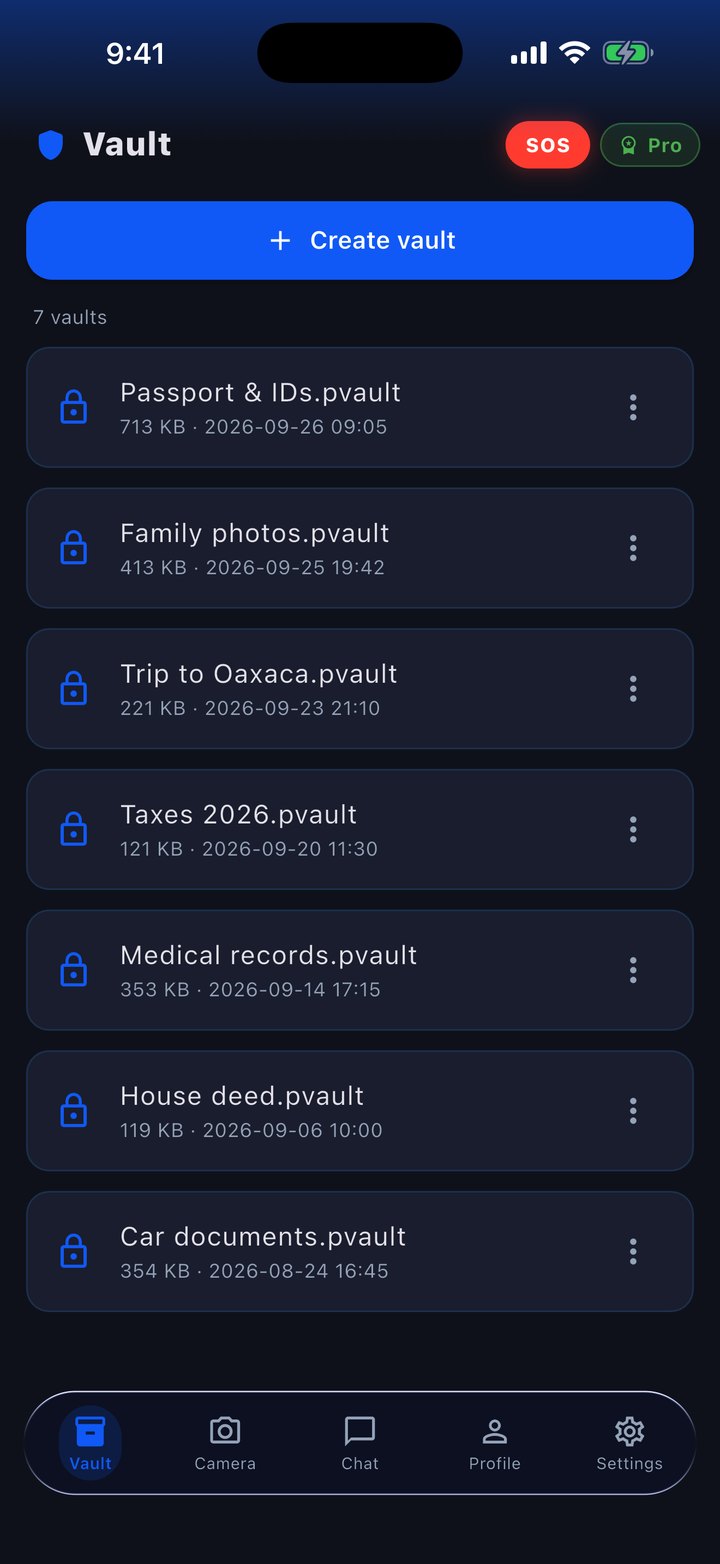
Your papers, under lock and key
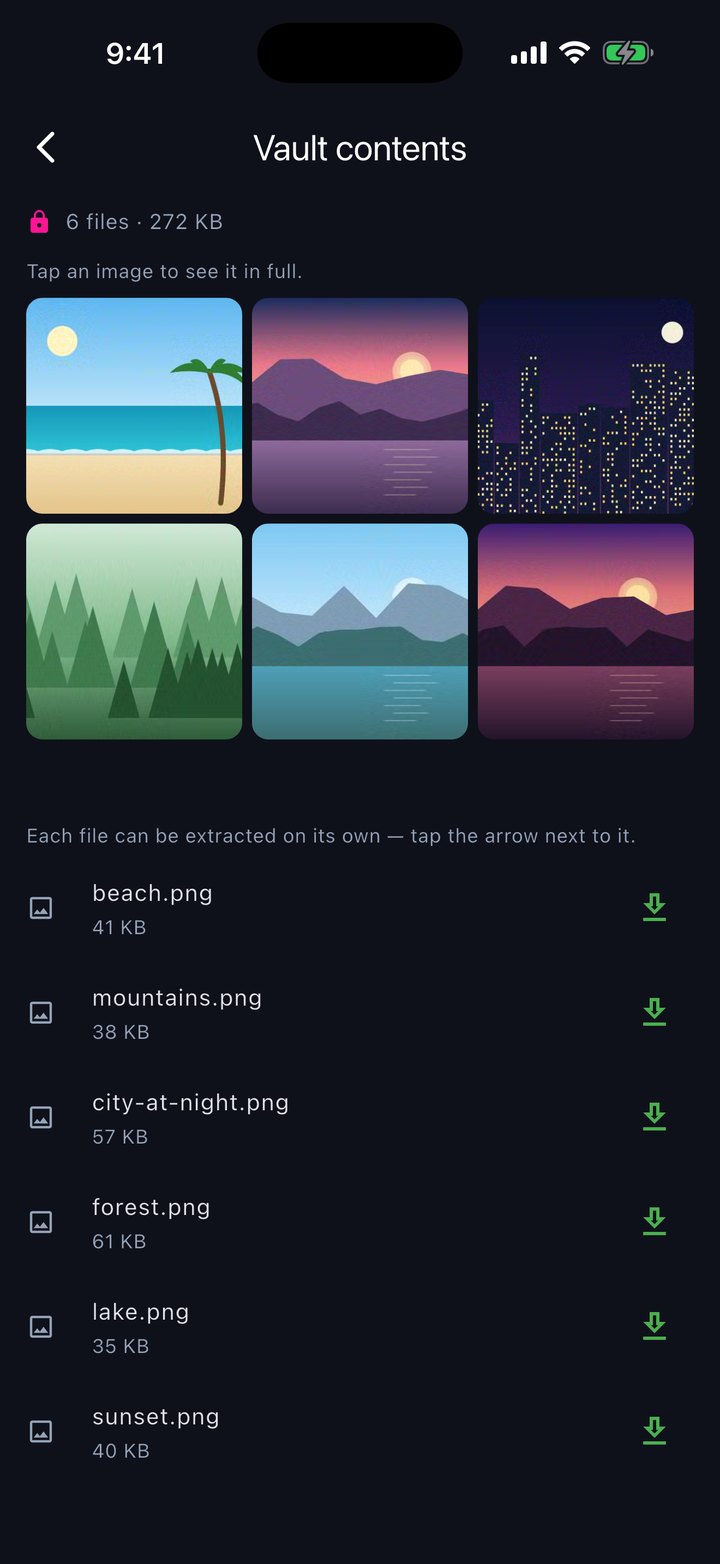
You pick the photos of the lease and your ID, and FuaFlow Vault packs them into an encrypted vault right there on your phone: with a password, or sealed for specific people. With “View contents” you see the thumbnails instantly and pull out a single file when you need it.
-
11:30
You send it sealed
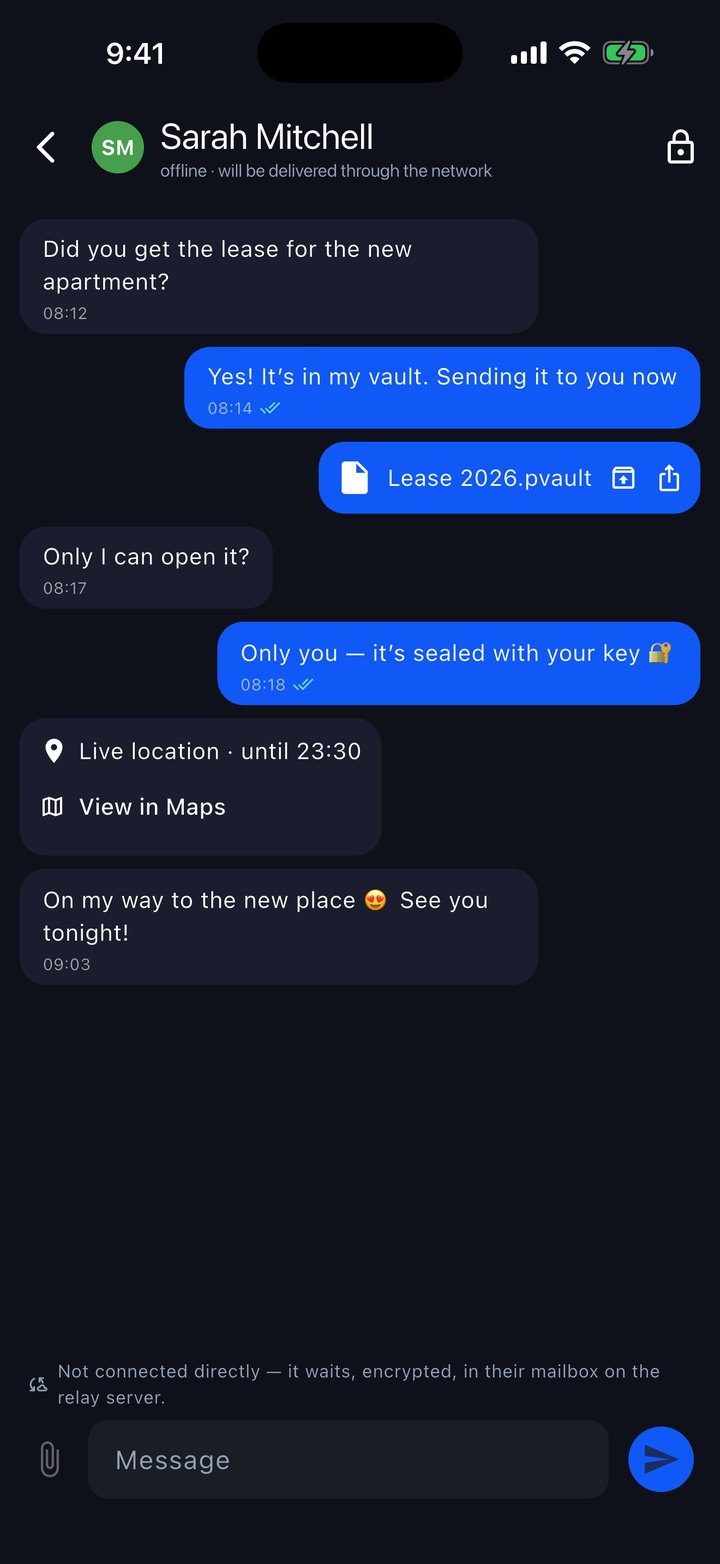
Your roommate asks for the lease. You seal it with her contact key and send it however you like — AirDrop, Messages, email. The vault travels encrypted and only she can open it; we can’t either.
-
11:32
You text her, even when she’s away
The app’s chat is end-to-end encrypted. On the same Wi-Fi, the message goes straight from phone to phone, no internet needed; when she’s away, it waits in a blind mailbox that only sees sealed envelopes and reaches her when she opens the app. The envelope is deleted once delivered.
-
17:40
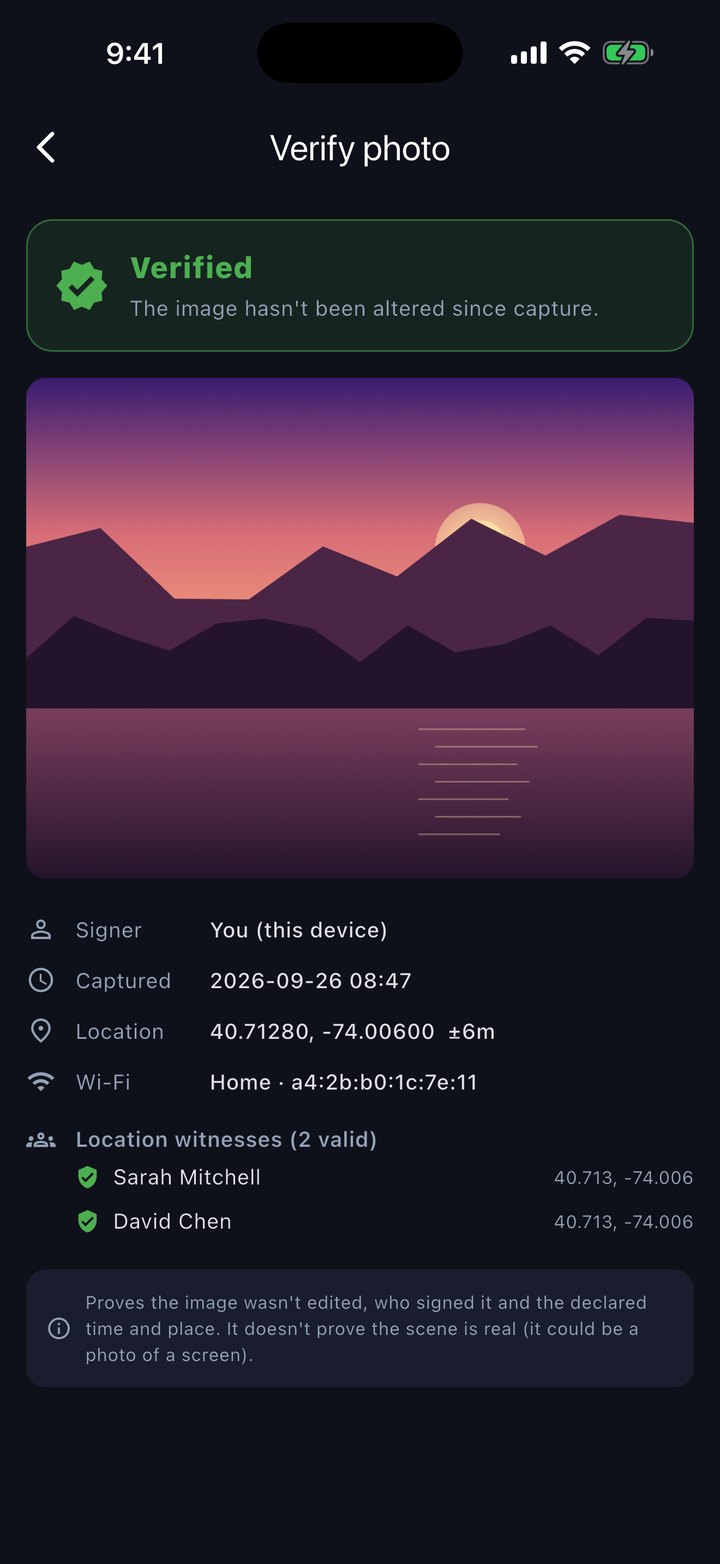
Photos that can be verified
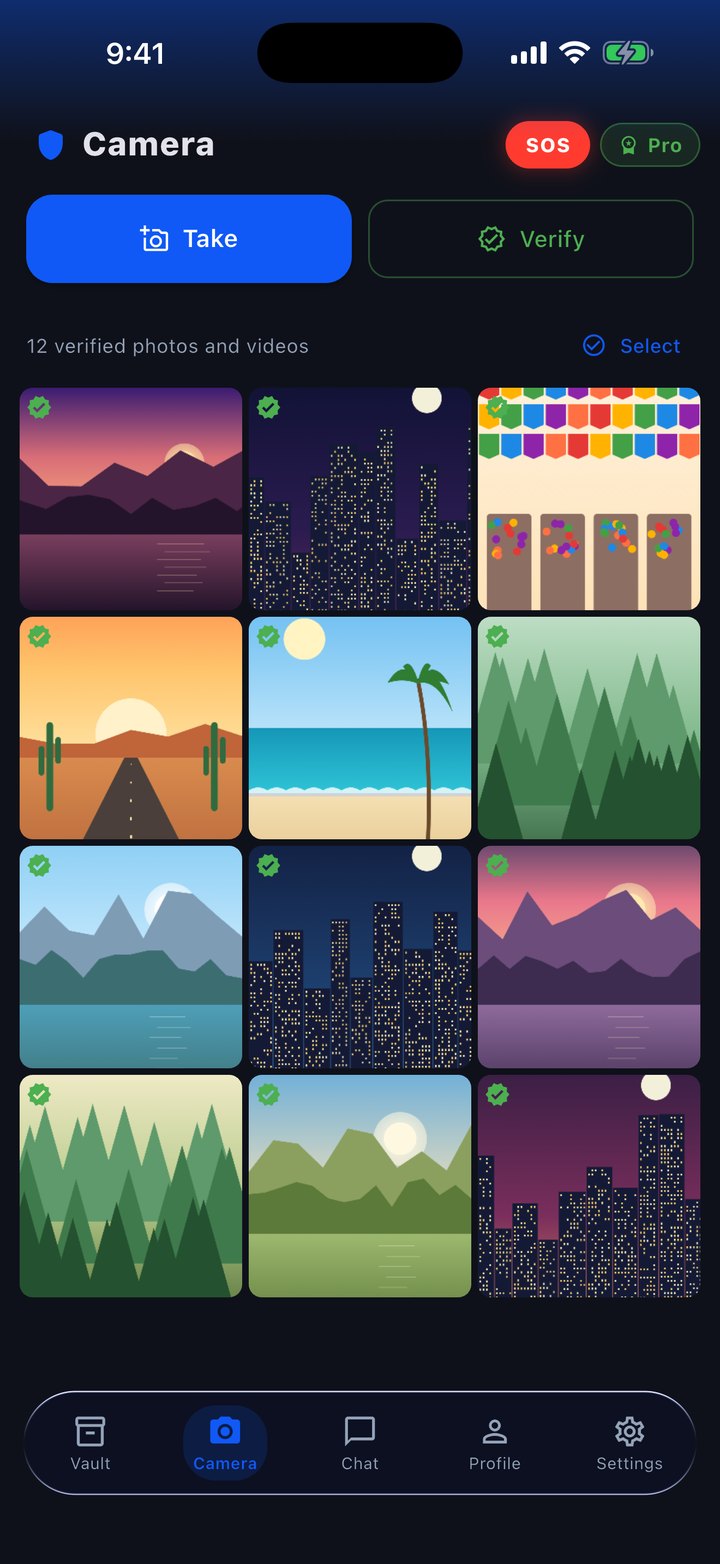
When you get the place, you take photos of how it looks. The verified camera signs them on your phone with the time and place, and your contacts’ phones with the app open, on the same Wi-Fi, sign as witnesses. Later, anyone with FuaFlow Vault can check they weren’t edited.
-
22:50
“Back in 30 min”
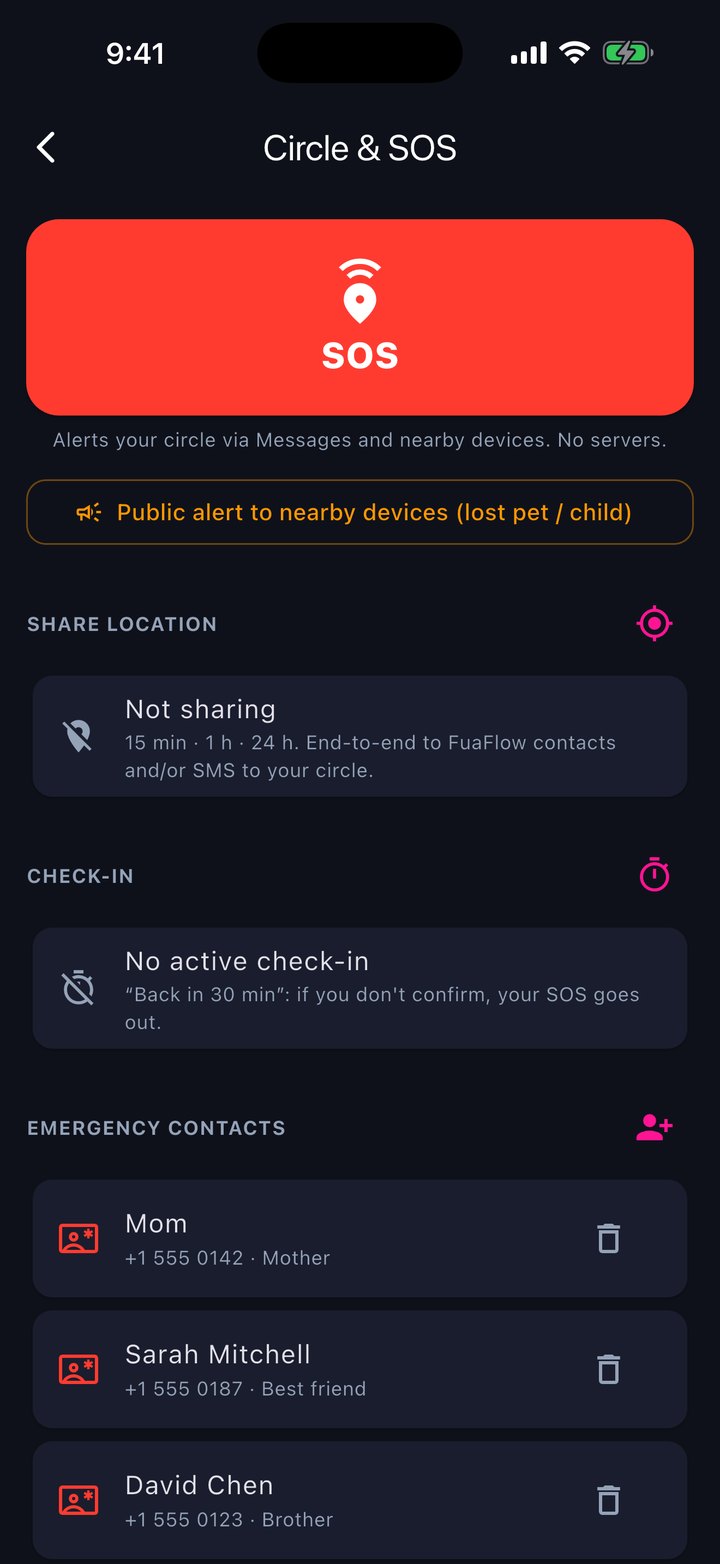
On your way home, you start a check-in and share your live location with your circle until 23:30. If you don’t confirm in time, a notification reminds you and, when you open the app, your SOS goes off.
-
23:16
Home safe
You tap “I’m OK” and the check-in closes. Tomorrow, what’s yours is still under lock and key.
What’s inside
Vault, camera, chat and circle in one app, with no account.
Encrypted vaults
Photos, videos and documents in a .pvault file, encrypted with AES-256-GCM on your phone.
For whoever you choose
With a password, or sealed with your contacts’ keys: only they can open it.
Verified camera
Photos and videos signed on your phone with the time and place.
Witnesses
Your contacts on the same Wi-Fi sign, with their location, that they were there when you took it.
Private chat
End-to-end encrypted: direct on the same Wi-Fi or, when you’re apart, through a blind mailbox.
Send over Wi-Fi
A vault from phone to phone, no internet needed; if it drops, you resume where it left off.
Your identity
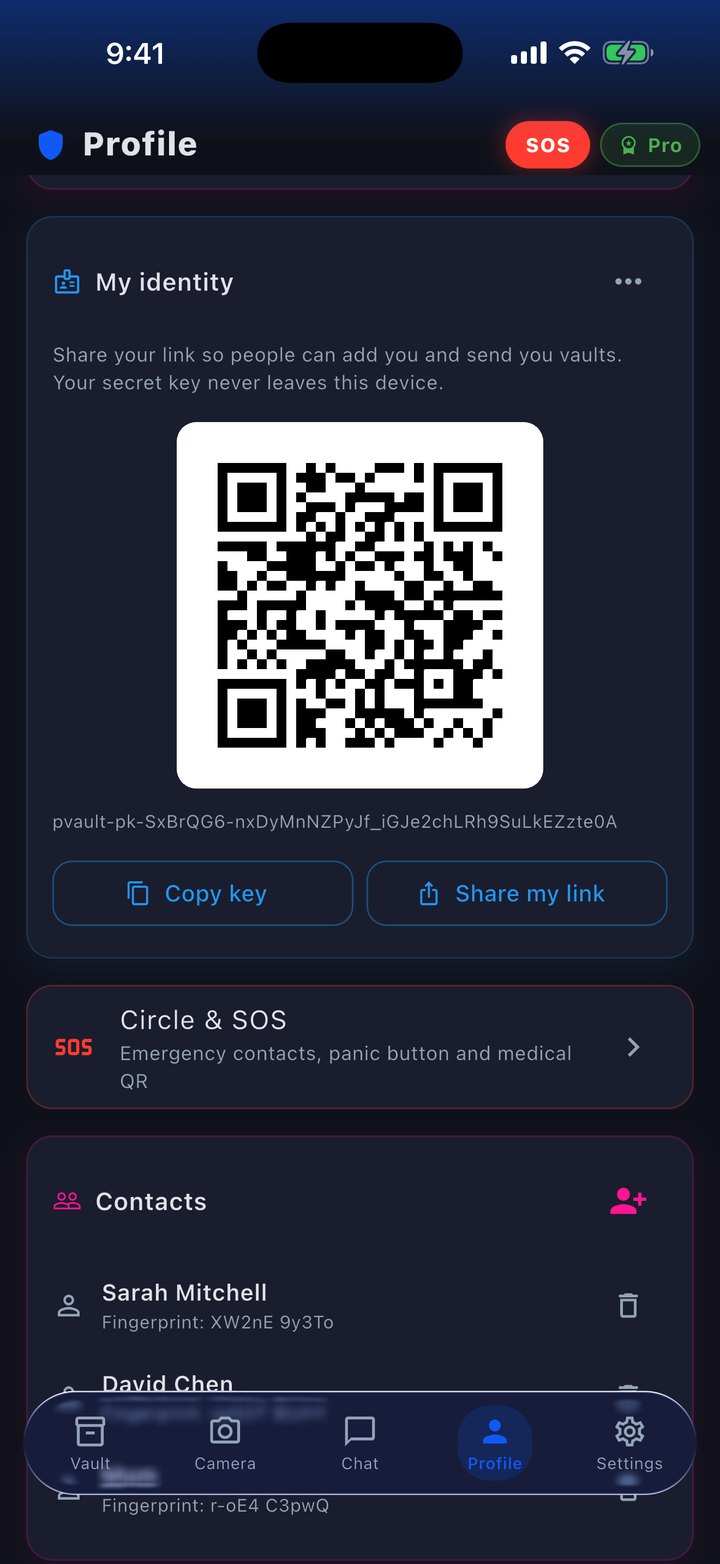
A key born on your phone; share it by QR or link so people can add you.
Lock
If you want, the app asks for Face ID or your iPhone’s passcode; your system does the check.
Circle & SOS
Emergency contacts, medical QR, SOS, check-in and temporary location. Free, always.
Your circle and SOS, one tap away.
Free, always: with or without Pro. FuaFlow Vault alerts your people through Messages and nearby phones running the app, with no servers.
It doesn’t replace 911: if you’re in danger, call emergency services too.
- SOS: one tap alerts nearby phones running FuaFlow Vault and gets the text with your location ready for your circle. iOS doesn’t let an app send texts on its own: you tap send.
- Check-in: “back in 30 min”. If you don’t confirm in time, a notification reminds you and, when you open the app, your SOS goes off.
- Live location for your circle for 15 min, 1 h or 24 h: encrypted to your FuaFlow Vault contacts, or by text message.
- Medical QR with your blood type, allergies and medication: only whoever scans it when you show it can see it.
- Public alert to nearby phones, for a lost pet or child.
We can’t open what’s yours.
FuaFlow Vault has no accounts, no trackers and no ads. Your vaults and your messages are encrypted on your phone; the little that goes through our server travels sealed and is deleted once delivered.
- Your vaults are encrypted with AES-256-GCM on your phone, with your password or with the key of whoever receives them.
- The relay server’s mailbox only keeps sealed envelopes: it doesn’t know who sends them and deletes them on delivery, after 7 days at most. You can turn it off.
- Your identity is a key pair created on your phone and kept in the system Keychain.
- If you forget a vault’s password, nobody can recover it — including us. That’s what makes it safe.
Price
14 days free, then $99 MXN a month — or $999 MXN once, forever. The 14 days are the start of the monthly plan: cancel anytime from your Apple account.
Pro is for creating and sending: new vaults, verified photos and videos, messages and transfers. Without Pro the app becomes read-only, never locked: you open, view, extract, share and verify what you have and whatever people send you. SOS and your circle always work, with or without Pro.